



Changelog Oct 12, 2026 - The Time Machine, Minis, and event scanners
The Time Machine scans the market as it stood on any day back to 2004, on every paid plan. Plus ten free Minis that turn real market data into games, five event scanners, and a sort by % change.
 Eoin5 min read
The Time Machine is live. Pick a date on any filter group and the scanner runs it against the market as it stood that day, back to 2004. This release also opens ten free Minis, adds five event scanners and a sort by % change, and gives the Theme Performance card longer horizons.
The Time Machine: scan any day back to 2004
Open a filter group, click the clock icon beside its header, and pick a date. That group is evaluated against the prices and indicator values the market saw on that day. The Time Machine announcement has the full tour and a walkthrough video.
- Each group keeps its own date. Leave one group on today and anchor another, and one scan can ask for stocks near a 52-week high today that weren't five trading days ago.
- A fixed date, or days ago. A fixed date freezes the scan, so a saved copy won't refresh in the background or send alerts. Days ago counts back in trading days and re-counts on every run, so the scan keeps refreshing and can still alert you.
- Restated or as traded. Restated keeps past prices on today's split-adjusted basis, so they match the chart. As traded uses the prices printed that day.
- Charts rewind with the scan. When a scan has a single anchor date on the restated basis, its result charts end on that date.
- The calendar shows what it can reach. Red days are beyond the history the group's filters need, and they're disabled with the reason attached.
The Time Machine is in beta on every paid plan. Supply and demand zones and chart patterns can't be anchored to a past date yet.
Minis: ten market toys to play and share
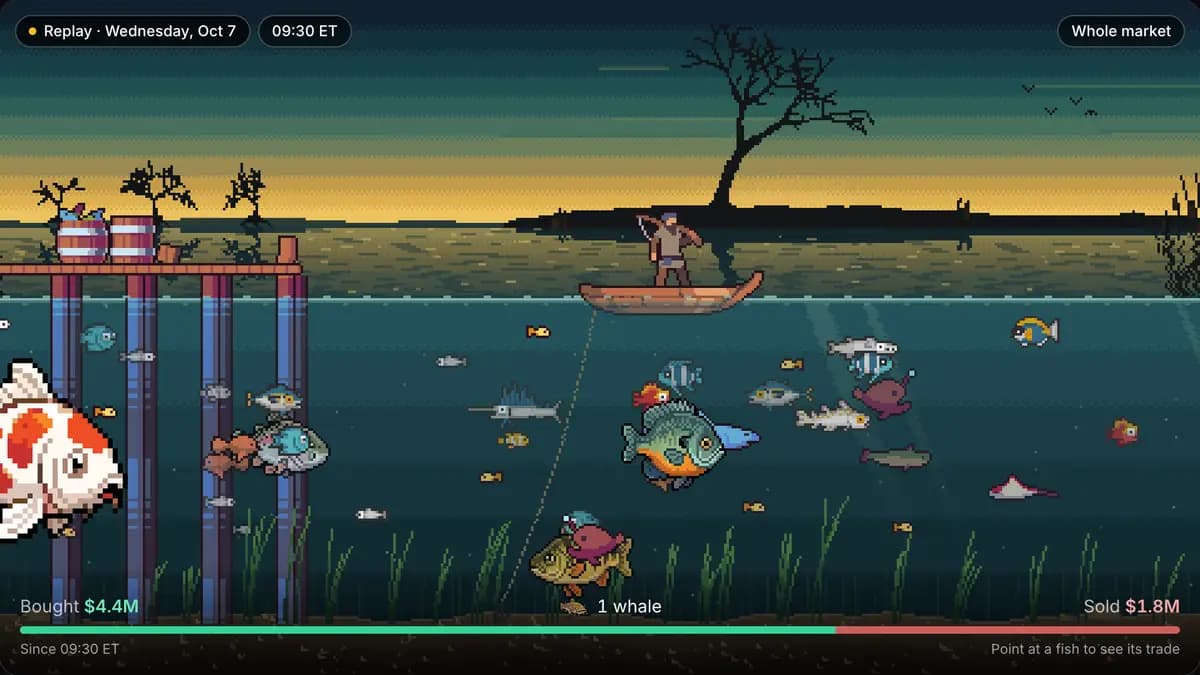
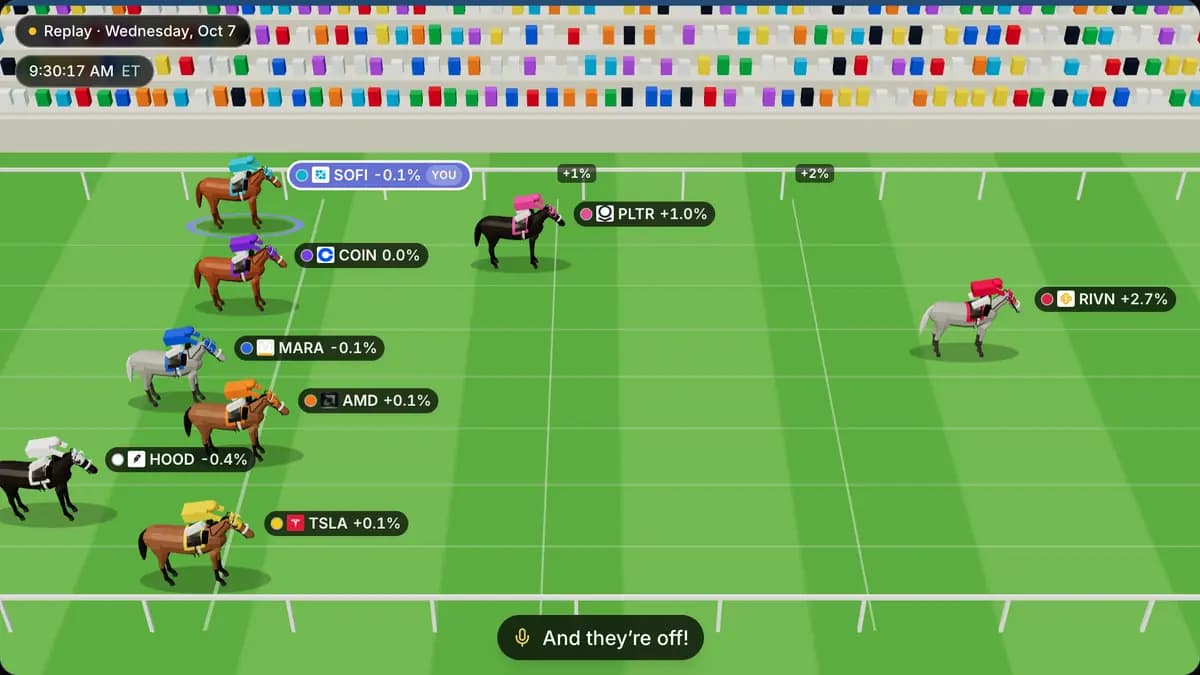
Open Minis from the site menu, or go to scanr.ai/minis. Every Mini has a fullscreen mode and ends on a share card you can post to X or anywhere else.
- Fish River turns a trading session into a river. Each trade is a fish sized by its dollar value. Buys swim downstream, sells swim upstream, and block trades are whales.
- Crossy Tape is a Crossy Road-style game on a real session: each lane is a minute and each car a trade.
- Opening Bell Derby races the biggest pre-market gappers through the first ten minutes after the bell. You pick a horse before the start.
- Chartle hides the name on a real chart. Call five weeks higher or lower, then see the stock. A new puzzle comes out every day.
- Human vs the Fruit Fly gives you five real charts a day, each hiding a pattern. Box it closer than the fly brain from our connectome experiment.
- Theme Solar System draws each market theme as a planet sized by the money it trades, with its biggest stocks as moons. Scrub from 2022 to today.
- Market Weather paints each session since 2004 of the 500 most-traded US stocks as a weather scene.
- Starling Murmuration flies 200 of the largest US stocks as one flock. It pulls tight when they trade alike and scatters on a stock-picker's day.
- Mega-cap Hunger Games races the ten biggest US companies month by month since 2006.
- What if you'd bought… works out what $1,000 in any US stock, on any day since 2003, would be worth today.
Fish River, Crossy Tape and the Derby replay the session from two trading days ago. Theme Solar System and Fish River play sound.
From Oct 24 to Nov 2 the Minis dress up for Halloween, and Market Weather adds the Day of the Dead. Other holidays follow through the year. We keep costumes off the data, so a fish in a skeleton suit keeps its own size and tier. A chip in the corner names the theme a Mini is wearing and lets you turn it off.
Event scanners
Five new presets sit under Events on the scanners page and in the scanner's preset picker. They work on every plan, free included:
- Earnings This Week: companies reporting today or in the next 7 days.
- Ex-Dividend This Week: regular dividends going ex today or in the next 7 days.
- Recent IPOs: listings on a US exchange in the last 90 days.
- Recent Reverse Splits: reverse splits completed in the last 30 days.
- Forward Stock Splits: forward splits that went ex in the last 30 days or are due in the next 30.
Each one keeps a dollar-volume floor, so thinly traded names stay out.
Sorting and themes
- Sort scan results by % Change (all sessions), which counts the move before the open, or % Change (regular session). Both sit in a new Price group in the sort menu. On the free plan, the all-sessions sort ranks on the same 15-minute-delayed prices your results show.
- The Premarket Gappers Up preset puts the biggest gap first. It used to put the largest company first.
- The Theme Performance card has a horizon picker with 1D, 1W, 1M, 3M, 6M, YTD and 1Y, and each card remembers its own. Anything past 1D needs a paid plan.
- The theme river and heatmap cards get a Presets tab: the top themes by liquidity, performance, relative volume or relative strength, plus selections you save on that device. A dashboard-wide default sort orders both cards.
- On the web, right-click a theme in Theme Overview or Theme Performance, or open its dialog, to Ask AI about this theme or Open in Scanner. Opening a theme in the scanner needs a paid plan.
Also in this release
- In the app, the IPO event filter gets the Listing type control, so you can include or leave out SPACs on your phone too.
- Dividend event rows describe the date they match, for example "regular dividend going ex in the next 7 days".
- A duplicated dividend event row keeps its date, type, amount and yield settings instead of matching any dividend. Switching an event row to another kind no longer makes the scan fail.
- The pricing FAQ no longer calls the Starter API tier free. Starter is a paid add-on.
Tell us which Mini you want next, or anything else you run into, at feedback.scanr.ai or [email protected].
— Eoin & The Scanr.ai team